When the Swipe Stops Working: A Real-World Fix Guide for Your Aging e-Reader
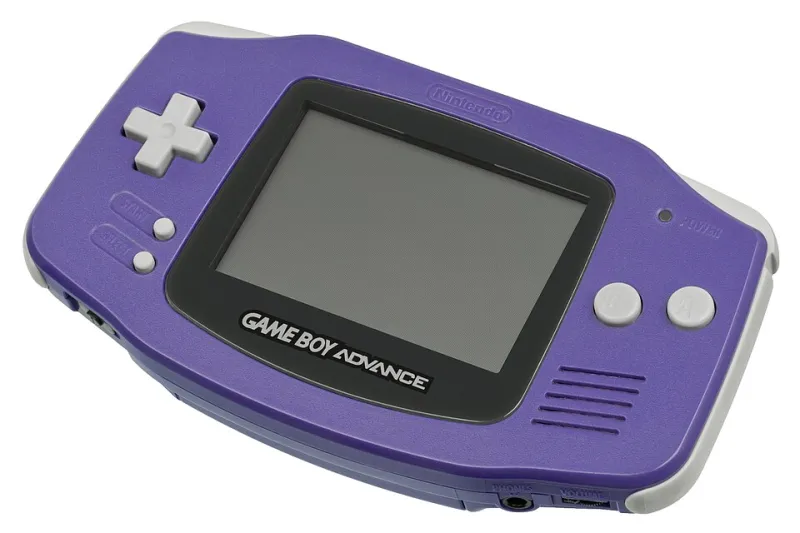
Photo: Evan-Amos, CC0, via Wikimedia Commons
You dig out your old Game Boy Advance, fish the e-Reader attachment out of a dusty shoebox, and line up your favorite card for a nostalgic swipe. Nothing. You try again. Still nothing. A third swipe and the screen flickers like it's mocking you.
Welcome to a club nobody asked to join.
The Nintendo e-Reader is pushing past its 20th birthday in the US, and while the dot-code cards themselves have held up remarkably well (we've written about that engineering miracle before), the hardware reading them is a different story. Optical sensors age. Battery contacts corrode. Rubber rollers harden. The good news? Most of these problems are fixable without shipping your device anywhere or spending a fortune on a backup unit.
Here's what's actually going wrong — and what you can do about it tonight.
The Dirty Lens Problem (And Why It's More Common Than You Think)
The e-Reader's scanning mechanism relies on a small optical sensor tucked inside the card slot. Over years of storage — especially in garages, attics, or those notorious Ziploc bags that smell like 2003 — dust, debris, and microscopic gunk accumulate directly on that sensor window.
The result isn't always a flat-out failure to read. Sometimes it's subtler: cards that used to scan on the first swipe now need four or five passes, or longer card sequences (multi-card games like Pokémon-e) fail partway through even when individual cards seem fine.
The fix is almost embarrassingly simple. A can of compressed air and a few short bursts aimed into the card slot will clear out loose debris. For anything more stubborn, a cotton swab barely dampened with isopropyl alcohol (90% or higher — the drugstore 70% stuff leaves too much moisture) run gently along the inside of the slot does the trick. Let it dry fully before testing. Reddit user CardSlotCleaner (yes, that's actually their handle) documented this fix in a thread on r/Gameboy a couple years back, reporting that a device they'd written off as dead was reading cards perfectly within ten minutes.
Don't use paper towels. The fibers shed and make the problem worse.
Battery Contacts and the Corrosion Creep
Here's one that catches people off guard: a scanning failure isn't always about the scanner. If your e-Reader is struggling to maintain consistent power during a swipe, the sensor may simply be dropping out mid-read — which looks exactly like a dirty lens problem from the outside.
Pull out your batteries and inspect the contacts. Even minor surface oxidation — that chalky white or greenish residue — can cause enough resistance to disrupt the steady current the e-Reader needs during a scan. A pencil eraser works surprisingly well for polishing mild corrosion off the contact points. For heavier buildup, a small amount of white vinegar on a cotton swab, followed by a dry wipe and a rubbing alcohol follow-up, will clear most of it.
If the contacts themselves are physically damaged or bent, gently reshaping them with a small flathead screwdriver (carefully, carefully) can restore the spring tension needed for a solid connection. And obviously — use fresh alkaline batteries, not the rechargeable NiMH cells you've been cycling through your Xbox controller. The slightly lower voltage output of rechargeable AAs can be just enough to push the e-Reader into unreliable territory.
The Roller Issue Nobody Talks About
Inside the card slot, small rubber rollers guide your card through the scanner at a consistent speed and keep it pressed against the optical sensor. After two decades, those rollers can harden, crack, or develop flat spots — all of which introduce inconsistent card movement that the sensor can't compensate for.
This one is trickier to diagnose at home. If your cards feel like they're dragging or catching during a swipe, or if the card speed feels uneven, rollers are likely the culprit. Some collectors have reported success cleaning hardened rollers with a small amount of rubber-rejuvenating solution (the kind used for vintage cassette decks), applied sparingly with a cotton swab. It won't fix physically cracked rollers, but it can restore some grip to ones that have simply dried out.
For cracked or disintegrated rollers, you're looking at a more involved repair that may require sourcing donor hardware. Check completed eBay listings for broken e-Readers selling for parts — they often go for under $15 and can supply everything you need.
Software Glitches Wearing a Hardware Mask
Occasionally what looks like a scanner failure is actually a software hiccup. If your e-Reader powers on normally, shows the scanning screen, but simply never registers a successful read regardless of card condition or scan speed, try a full power cycle with the batteries removed for at least 60 seconds. It sounds almost too basic, but the e-Reader's onboard memory can get into a weird state — particularly if it was interrupted during a previous scan session.
Also worth checking: the Game Boy Advance itself. The e-Reader connects through the GBA's cartridge slot, and worn or dirty cartridge pins can cause communication issues that appear to originate from the e-Reader attachment. Clean the GBA's cartridge slot contacts with isopropyl alcohol and a cartridge-cleaning card or a folded piece of cardstock with a small amount of alcohol on it.
Preventative Maintenance: Keep It Scanning
Once you've got your e-Reader reading cards again, a little ongoing care goes a long way.
- Store it separately from your cards. Keeping the e-Reader and its card collection in the same bag or box means card debris has a direct path into the scanner slot.
- Remove batteries between sessions. Even quality alkaline cells will eventually leak if left installed long-term, and battery acid damage to contact points is genuinely difficult to reverse.
- Give it a compressed air treatment every six months if you're an active user, or before any session after extended storage.
- Keep it away from temperature extremes. Attics and car trunks are where rollers go to die.
The e-Reader wasn't built to be a forever device — Nintendo clearly didn't expect anyone to be swiping cards in 2025. But with a little attention, there's no reason yours can't keep scanning for another decade. Your dot codes deserve better than a drawer.